
Understand why a code has been unlinked, and how to connect it to the right asset.
A Not Linked message means the QR code has been unlinked from an asset — usually because a new code was claimed for it, releasing the old one.
At a glance
| For | Company administrators |
| Platform | Web Portal and Mobile App |
| Applies to | All regions |
| Time to Read | About 1 minute |
| Checks in this article | • The new QR code was claimed for this asset. • The code was regenerated. • The code belongs to a different account. |
Checks to complete
A new QR code was claimed for this asset
Claiming a new code releases the previous one, which becomes an orphaned code for your account — this is expected if you’ve recently claimed a replacement.
The code was regenerated
Using Regenerate QR Code creates a new active code and can leave the previously printed code unlinked.
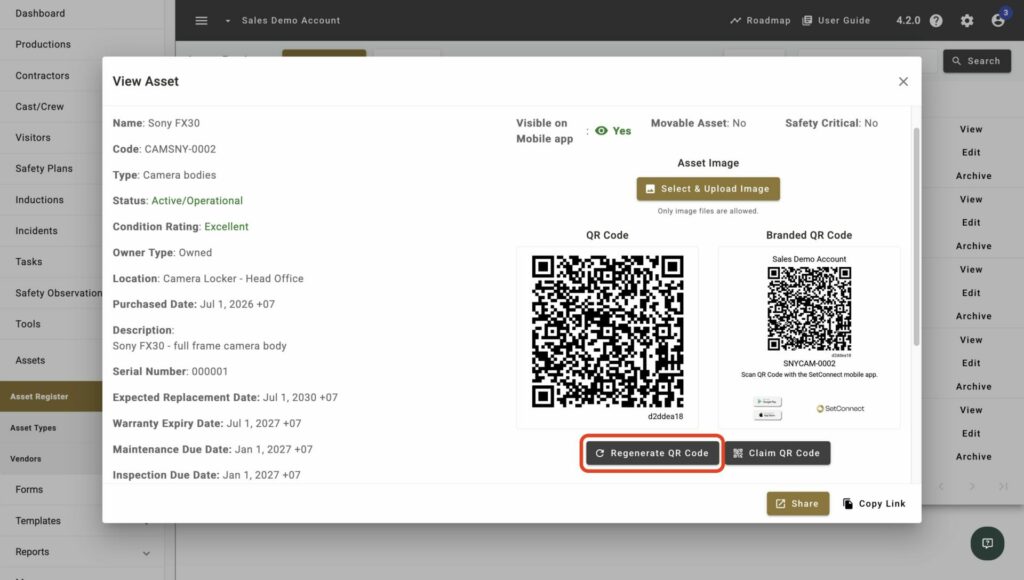
The code belongs to a different account
You can only claim codes that are unclaimed or already belong to your account — a printed code from elsewhere won’t link to your assets.
Result
You’ll know it’s fixed when scanning the code opens the correct asset’s details instead of the Not Linked message.