
Select the right section permission so people can open a production/location and work in the sections they need.
To work in most sections inside a production, such as incidents, safety meetings or hazards and risks, a person’s role needs two permissions: Productions/Locations: View and the matching permission for that section.
At a glance
| For | • Company Administrators • Production/Location Managers |
| Platform | Web Portal |
| Applies to | All regions — Mostly Premium; Productions: Assets is also available on Contractor |
| Time to Read | About 2 minutes |
| You’ll understand | • Why every production section needs two permissions, not one. • Which permission pairs with each section, and the two exceptions to the pattern. |
Why it takes two permissions
Productions: View lets someone open a production. Without it, they can’t get into any production, so most production sections stay out of reach even if you’ve given them the matching section permission.
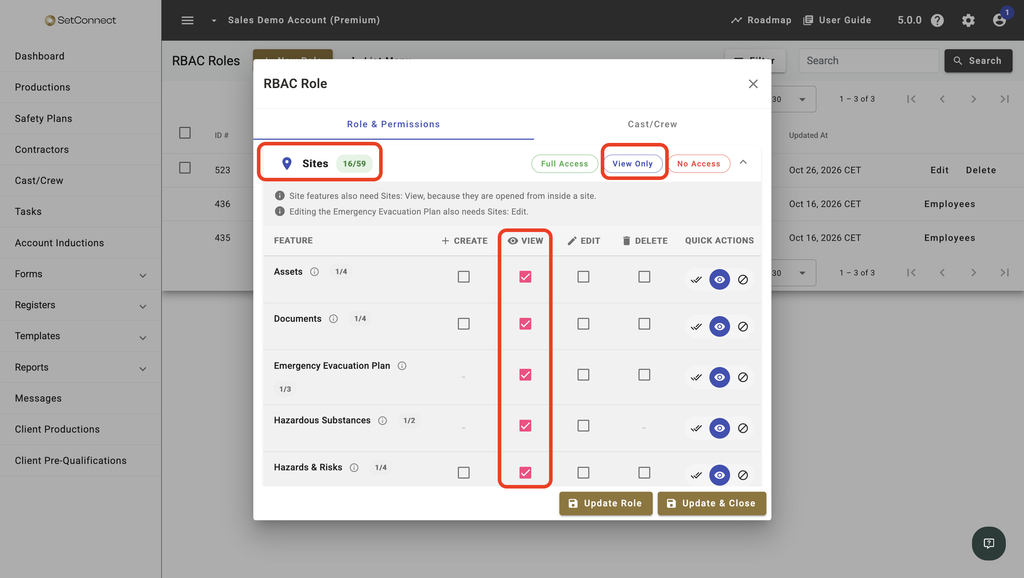
It applies to every production in the account and can’t be restricted to particular productions. See Can I restrict a role to specific productions?
Once they’re in, the matching Productions permission controls what they can do in that section.
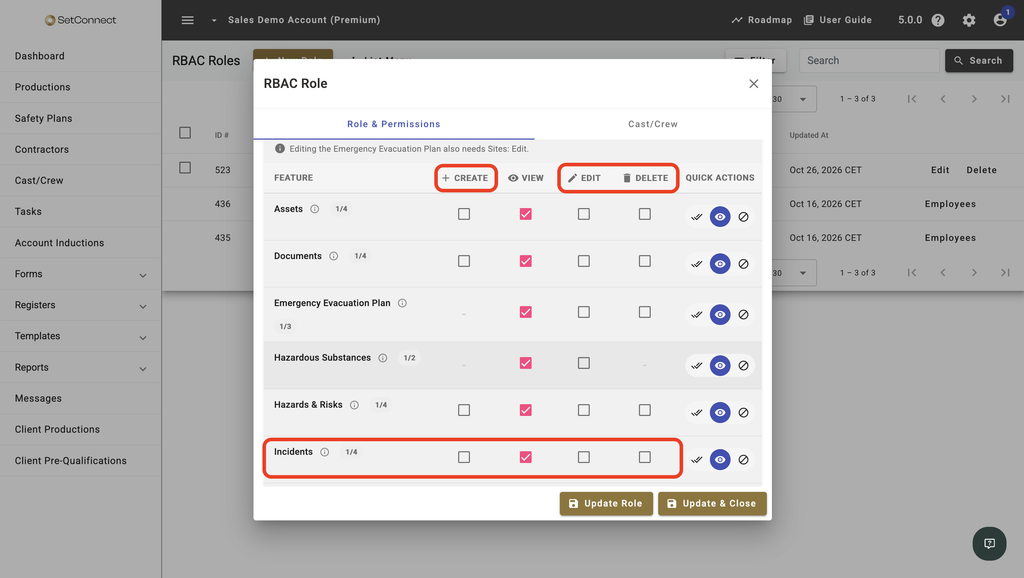
The production’s Details page, including Overview, Geofence and Settings, and its Noticeboard are part of the main Productions feature, so Productions: View is enough to access those areas.
Production permissions are separate from the account-wide Registers permissions. Access to one doesn’t automatically give someone access to the other. See Which permissions are available in SetConnect?
Caution
A common mistake is giving someone a production-section permission without Productions: View. For example, someone with Productions: Incidents but not Productions: View can’t open a production, so they can’t reach its Incidents section.
Which permission goes with which section
In most cases, the permission name matches the section name. For example:
- Incidents uses Productions: Incidents
- Safety Meetings Talks uses Productions: Safety Meetings
- Hazards & Risks uses Productions: Hazards & Risks
Pair the relevant section permission with Productions: View so the person can open the production and use that area.
Two exceptions to know about
Productions: Safety Plans has Create, Edit and Delete, but no View permission. Viewing safety plans is controlled separately through Safety Plans and Client: Productions.
Productions: Specified Systems doesn’t correspond to a section in the Web Portal or Mobile App. It only affects direct API integrations and isn’t used by most customers.
Next recommended step
Once you know which production permissions someone needs, you can add them to a custom role.
Next article: How do I create a custom role?