
Choose between SetConnect’s two built-in system permission roles or create custom roles so each cast/crew member has the access they need.
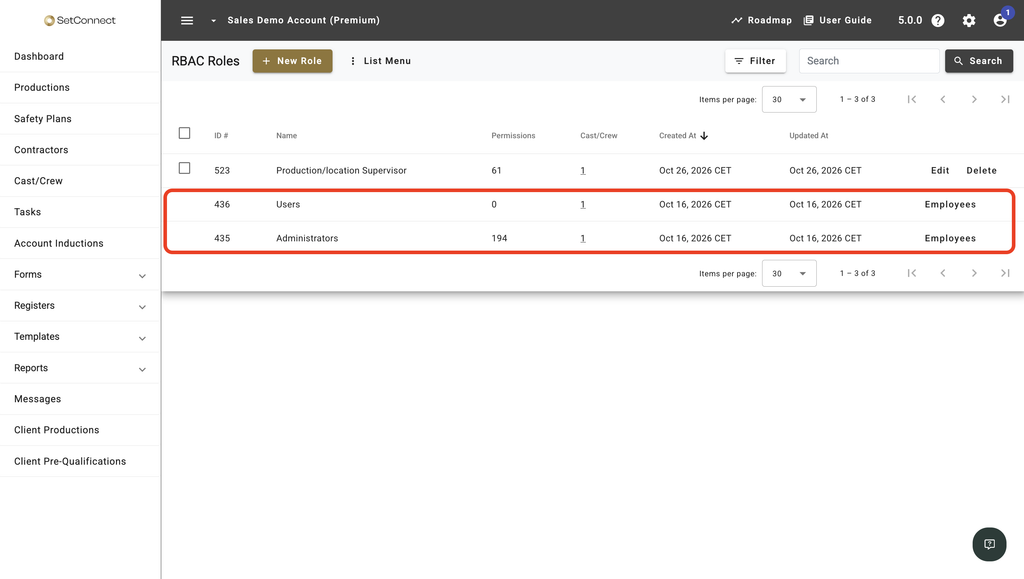
Administrators and Users are the two built-in roles included with every account. SetConnect manages what these roles grant, so you can’t rename them, change their permissions or delete them.
A custom role is one you create yourself, choosing the permissions it needs. Use custom roles when Users doesn’t provide enough access, but Administrators would give someone more access than their work requires.
At a glance
| For | Company Administrators and anyone holding the RBAC Roles permission |
| Platform | Web Portal – Roles and permissions are not managed in the mobile app. |
| Applies to | All regions |
| Time to Read | About 2 minutes |
| You’ll understand | • What the Administrators and Users built-in roles give you automatically, and why you can’t change them. • When to build a custom role instead. • How many roles someone can hold at once. |
The two built-in roles
Administrators has full access to everything your subscription includes.
Users is the baseline role every new cast/crew receives. By itself it grants no web portal features, apart from access to a person’s own profile and personal items such as forms.
Note
To make sure your account can always be managed, keep at least one person in the Administrators role and at least one person with permission to edit RBAC roles. SetConnect blocks any change that would leave the account without either.
Custom roles
A custom role contains the permissions you choose for it. A person can hold any number of custom roles alongside their base role, and their access is combined across all of the roles they hold.
Comparing the three
| Administrators | Users | Custom role | |
| What it grants | Everything your subscription includes | Nothing beyond your own profile and personal items | Exactly the permissions you select |
| Can you change it | No, SetConnect manages it | No, SetConnect manages it | Yes. You can create, edit and delete it |
| How it is assigned | One of the two possible base roles | Default base role for new cast/crew | Any number of users can be assigned |
Next recommended step
Create a custom role for anyone who needs to work in the portal but shouldn’t have full access.
Next article: How do I create a custom role?