
Download your asset data for reporting, audits or offline records.
Go to Assets, then select Export to download your Asset Register as a CSV file.
At a glance
| For | Company administrators |
| Platform | Web Portal |
| Applies to | All regions |
| Time to Read | About 1 minute |
| You’ll learn how to | • Export the full Asset Register. • Export a filtered subset. • Find your downloaded file. |
Before you begin
Make sure you:
- Have permission to manage Assets.
Step-by-step guide
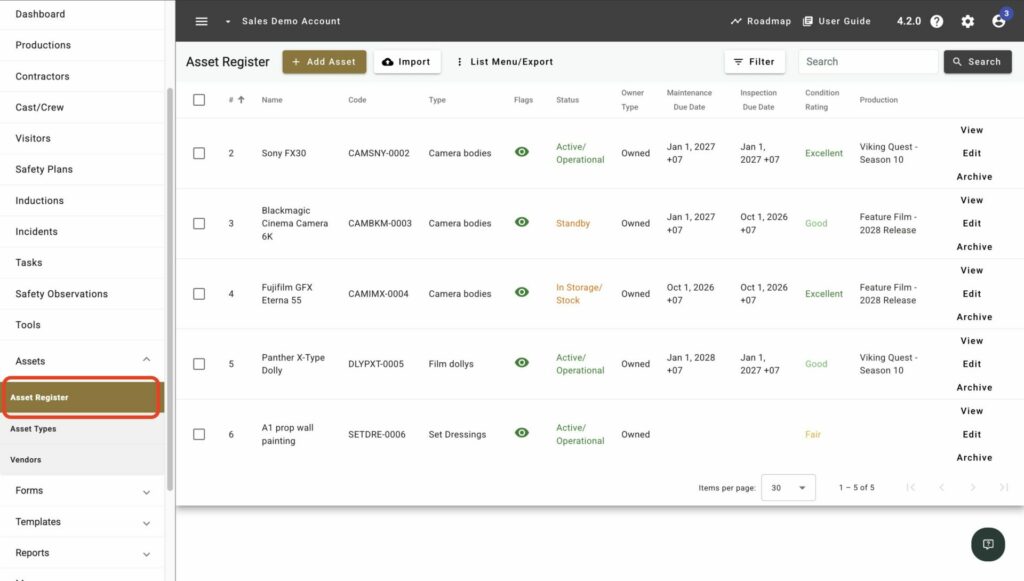
1. Open Assets
Go to Assets in the Web Portal.
2. Filter first, if needed
Apply any Filters if you only need a subset of assets, such as one Asset Type or Production.
3. Select Export
Select Export.
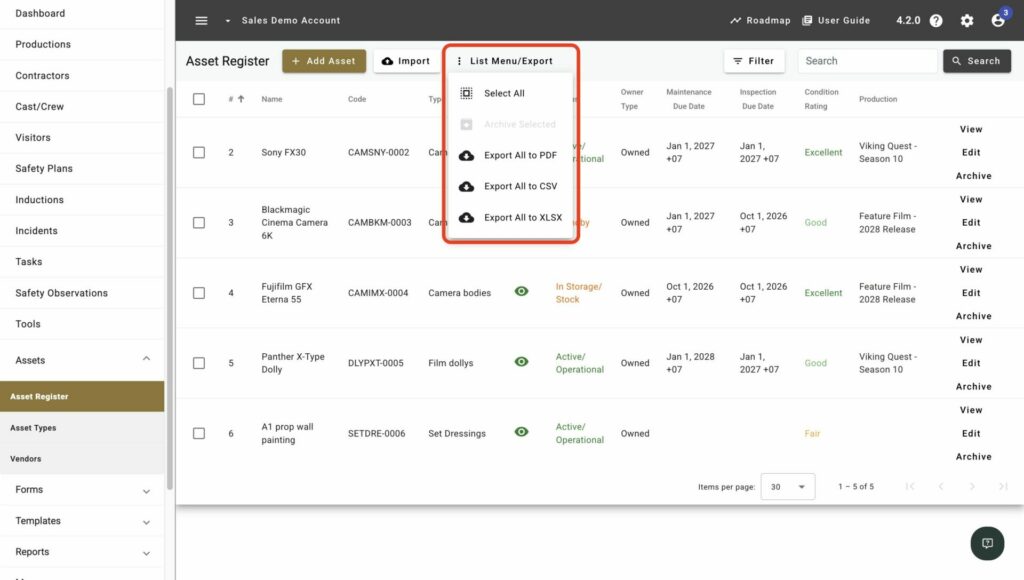
4. Confirm the download
Confirm the export to download a CSV file containing the current list.
Result
You’ll know the task is complete when the CSV file downloads to your device.
Next recommended step
Agree who owns and maintains the Asset Register going forward.